How to Buy a New iPhone from Apple and Activate it with sparrow
Wed, Mar 23, 2016
Read in 2 minutes
Got your heart set on a new iPhone but don’t see it in the sparrow catalog?
Good news, you can buy an iPhone from Apple and activate it with sparrow. This is a little known fact, and once you know how, it’s simple to do.
Before you make a trip to the Apple Store, we recommend calling sparrow at 844-697-7277 so that our friendly team can help you navigate the process and arm you with information before you go.
Step-by-Step
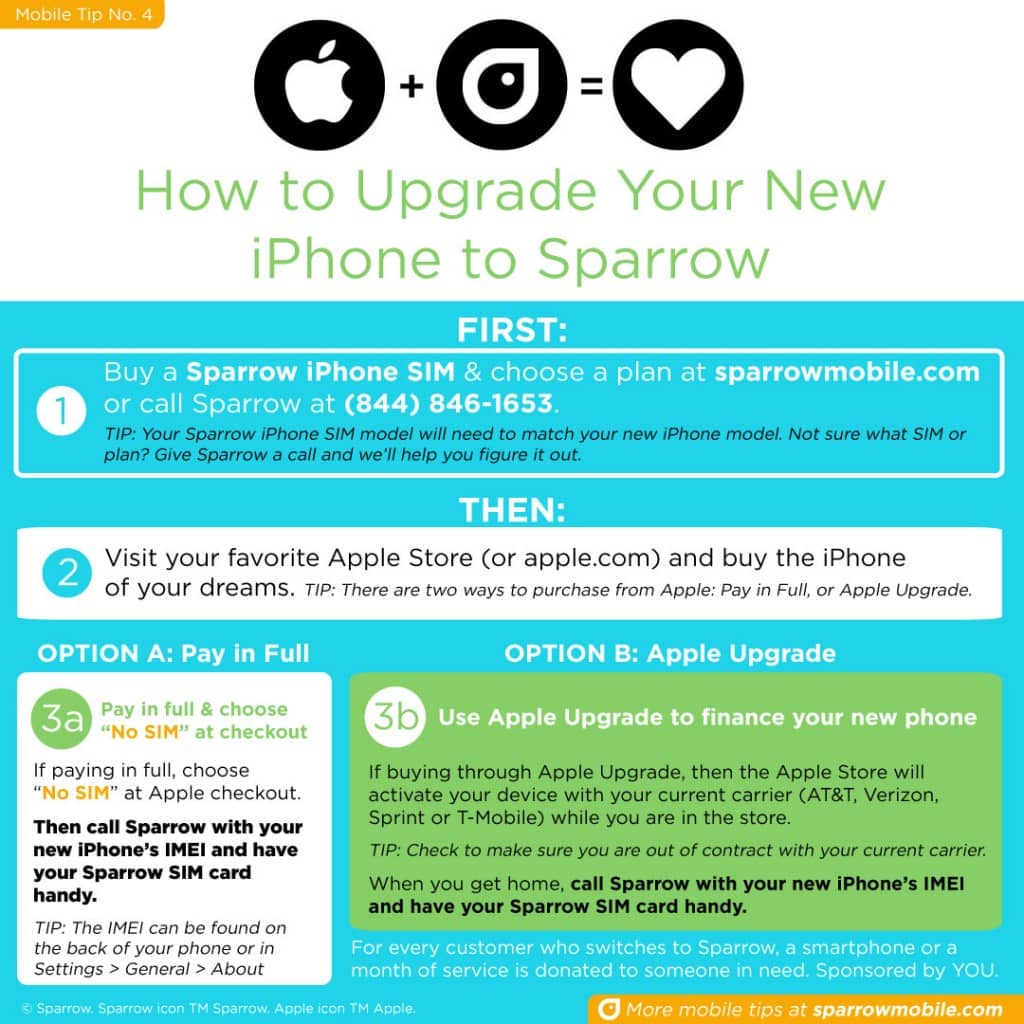
To buy a new iPhone from Apple and bring it to sparrow, follow these steps:
1) From sparrow, purchase an iPhone SIM and wireless service plan.
You can do this via the sparrow online catalog, or by calling sparrow at 844-697-7277
- TIP: Double check to make sure the SIM model matches the iPhone model of your choice
- TIP: We recommend getting your sparrow SIM first, before you buy your iPhone, because who doesn’t want to activate their shiny new phone right away?
2) Buy the iPhone of your choice directly from Apple
- If you are paying for the iPhone in full, then choose “NO SIM” at checkout (you will use your sparrow SIM)
- If you are buying via the Apple Upgrade Program, you are required to activate the new phone with your current carrier. As long as you are not in contract and your carrier is not Verizon, once your Apple purchase is complete, you will be able to switch the phone to sparrow
3) Call sparrow at 844-697-7277 and our friendly team will help complete your account details and activate your new iPhone with sparrow
Here’s the information you will need to provide:
- Phone Number & Previous Carrier (if you plan to keep your same number)
- iPhone IMEI (located on the back of the phone, and also in Settings > General > About)
- sparrow SIM card number (ICCID)
4) Our Care team will complete the activation with you and voila! you will be part of the sparrow network
After 3 months of service, a smartphone or month of service will be donated to someone in need. Sponsored by YOU.
Not sure what SIM or plan? Give sparrow a call at 844-697-7277 and we’ll help you figure it out.
Infographic

Latest Headlines
- The Impact of Broadband Access on Social and Economic Integration: Results from the RefugeeMobile Pilot (Oxford University Press)
- sparrow Website Redesign
- SchoolPhones Program Launched with Larkin Street Youth Services in San Francisco
- World Refugee Day 2019
- Engineering for Change Features sparrow Impact Program: RefugeeMobile